Note
Access to this page requires authorization. You can try signing in or changing directories.
Access to this page requires authorization. You can try changing directories.
Microsoft 365 Copilot chat for model-driven apps in Power Apps is a next-generation AI assistant that helps you gain insights into the data in your apps through conversations in natural language. Microsoft 365 Copilot chat boosts your productivity through AI-powered insights and navigation assistance.
Important
- This feature is in preview.
- Preview features aren't meant for production use and might have restricted functionality These features are subject to supplemental terms of use, and are available before an official release so that customers can get early access and provide feedback.
- This feature is in the process of rolling out and might not be available in your region yet.
Prerequisites
An administrator must enable Microsoft 365 Copilot chat in your application before it becomes visible in your app. For more information, see Add Microsoft 365 Copilot chat for app users in model-driven apps.
Copilot pane
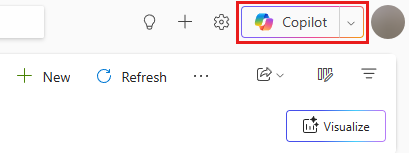
After Microsoft 365 Copilot chat is enabled, access it through the Copilot button near the upper-right corner of the page.
If both Microsoft 365 Copilot chat and Copilot chat in model-driven apps are enabled, you can access and try each option. The Chat option opens Microsoft 365 Copilot Chat, and the App Skills option opens Copilot chat in model-driven apps. These terms align with Microsoft 365 apps for consistency.

Expand or collapse the Microsoft 365 Copilot pane as needed.
Use Microsoft 365 Copilot to ask questions
Microsoft 365 Copilot chat in model-driven apps answers questions about the Dataverse table data in the app.
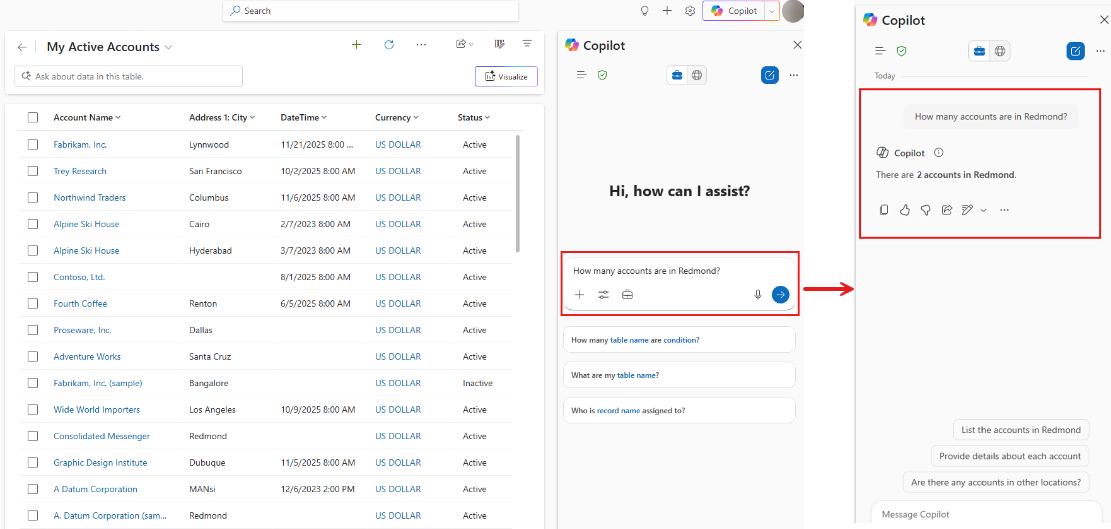
Microsoft 365 Copilot chat suggested questions
To help you get started, Microsoft 365 Copilot chat suggests questions to ask. Many suggested questions have placeholders you replace with appropriate text.

Use agents in Microsoft 365 Copilot
Important
When you explicitly select an agent in Microsoft 365 Copilot chat in model-driven apps, the agent no longer answers questions about the Dataverse table data in the app unless you explicitly configure your agent to do so. However, the agent uses information from the chat history. To get the side chat to answer questions about the Dataverse table data in the app again, you need to remove the explicit agent selection.
Microsoft 365 Copilot chat in model-driven apps lets you use any agent available in Microsoft 365 Copilot right from the side pane. Once an agent is available within Microsoft 365 Copilot, you can interact with your agent by choosing it from the navigation panel.

Limitations
- The input box styling doesn't match the refreshed look and feel of the standalone Microsoft 365 Copilot interface.
- The model chooser option, which allows users to select different AI models or configurations in the standalone version, is not available.
- The Tools and Sources menu inside the input box is not available.
- Context IQ results, which provide intelligent contextual information and suggestions, do not currently load in the embedded Copilot chat experience.
- To obtain answers about your Dataverse data within the app, you need to be on a grid or form page in the application.
- Agents published to Microsoft 365 Copilot via Microsoft Copilot Studio channels are not currently available.