Note
Access to this page requires authorization. You can try signing in or changing directories.
Access to this page requires authorization. You can try changing directories.
You can trigger a topic in two main ways:
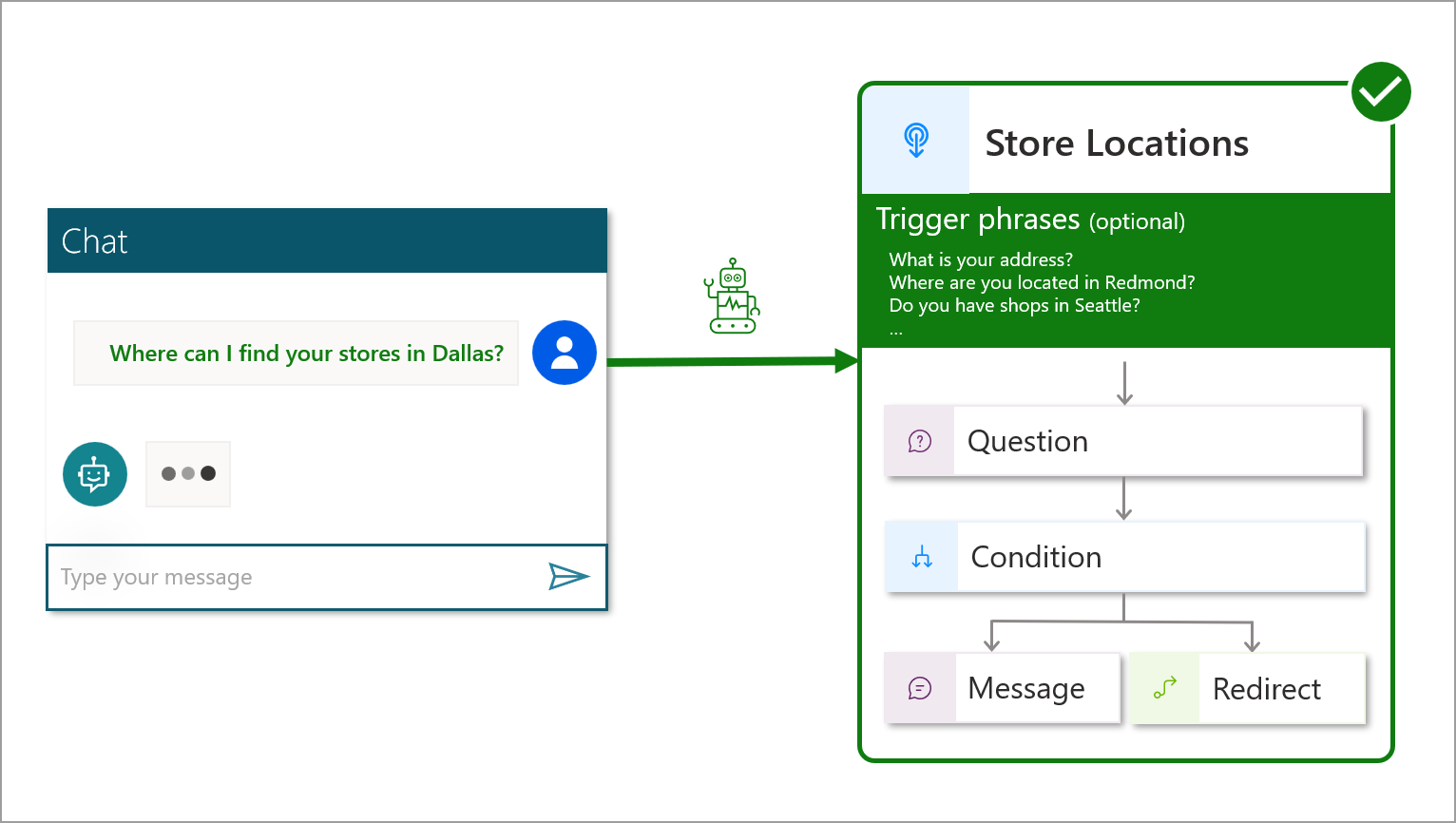
Based on a user query (also called an utterance). When what a user writes or says triggers a topic, it's called intent recognition. The AI uses its natural language understanding (NLU) model to parse the user utterance and finds the most relevant topic based on the configured trigger phrases that match the intent. If the utterance matches multiple topics, the AI triggers the Multiple Topics Matched topic so the user can select the appropriate topic from a list.
By using a Redirect node, to go to another topic.
Trigger topics based on a user query
For example, the AI triggers the Store Locations topic based on the user utterance and the matching trigger phrases.
For more information, see Trigger phrases best practices.
Redirect to a topic
For example, the Request New Location topic is triggered after another topic explicitly uses a Redirect node to call it.
