Hi @Brasher, Shannon /0S2255 /GA118,
Welcome to Microsoft Q&A forum.
Thank you for reaching out regarding your concern about viewing the attendee responses in an Outlook meeting.
Please find below the steps to view attendee responses using Outlook on the Web:
1/ Sign in to Outlook Web:
Sign in to https://outlook.cloud.microsoft/ with your work account.
2/ Enable “Request Responses”
When creating the meeting:
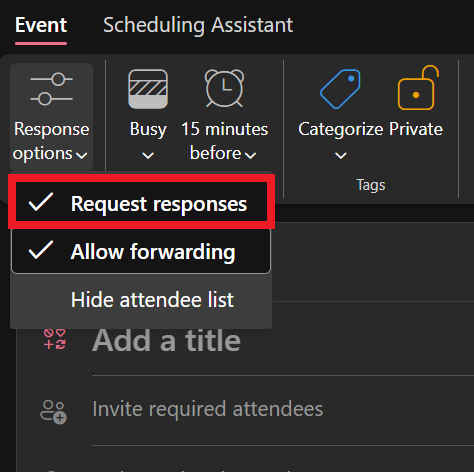
Locate and expand Response options > Ensure that “Request responses” is checked
3/ Access the Tracking Tab:
After sending the meeting invite:
Go to your Calendar > locate the meeting > right-click the meeting and select Open > click on the Tracking tab
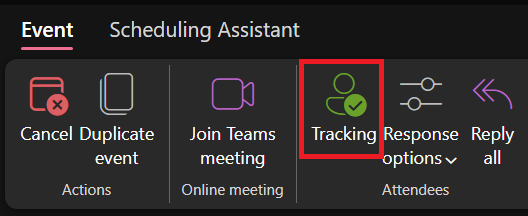
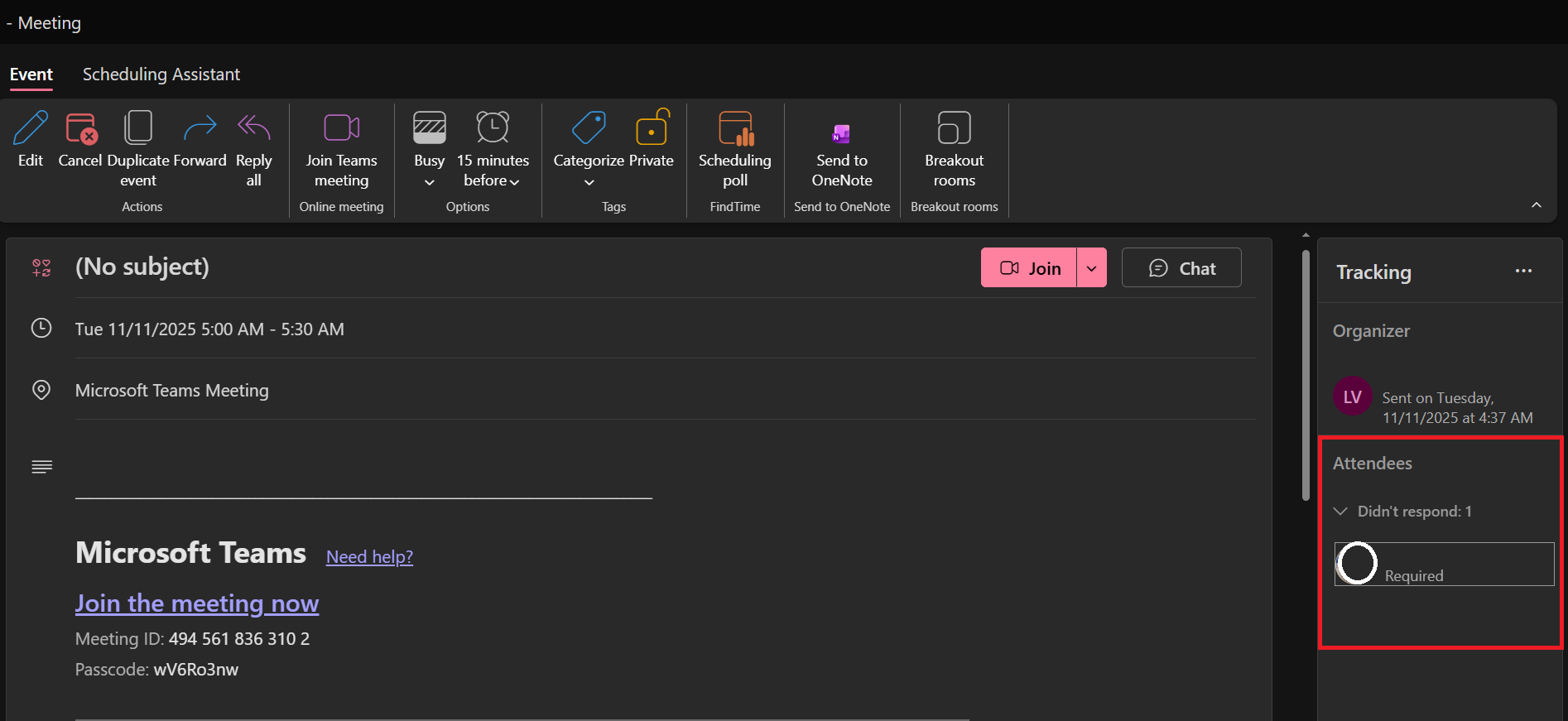
This will display the response status of each attendee (Accepted, Declined, or Didn't response).
Note: Please understand that our initial response does not always resolve the issue immediately. However, with your help and more detailed information, we can work together to find a solution.
I hope this information is helpful. Please follow these steps and let me know if it works for you. If not, we can work together to resolve this.
Thank you for your patience and your understanding. If you have any questions, please feel free to reach out.
I'm looking forward to your reply.
If the answer is helpful, please click "Accept Answer" and kindly upvote it. If you have extra questions about this answer, please click "Comment".
Note: Please follow the steps in our documentation to enable e-mail notifications if you want to receive the related email notification for this thread.
' cx='32' cy='32' r='32' /%3E%3Ctext x='50%25' y='55%25' dominant-baseline='middle' text-anchor='middle' fill='%23FFF' %3EBS%3C/text%3E%3C/svg%3E)


' cx='32' cy='32' r='32' /%3E%3Ctext x='50%25' y='55%25' dominant-baseline='middle' text-anchor='middle' fill='%23FFF' %3ELV%3C/text%3E%3C/svg%3E)